
Download Vocloner – Free AI Voice Cloning Tool for Windows, Mac, Android & iOS
Overview
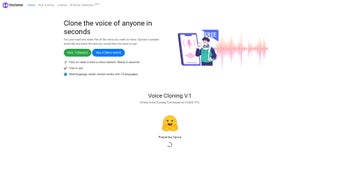
Vocloner is a web‑based AI voice cloning platform that makes replicating any human voice a matter of minutes rather than hours. Built around a clean, drag‑and‑drop interface, the service asks for just two inputs: a short, high‑quality audio sample of the target speaker and the text you want the cloned voice to read. Once these are provided, Vocloner runs the synthesis in the cloud and returns a natural‑sounding audio file almost instantly.
The tool offers two distinct cloning engines – a “classic” model that relies on earlier deep‑learning architectures and a newer engine powered by the open‑source XTTS (Cross‑lingual Text‑to‑Speech) system from Coqui AI. XTTS brings multilingual support, higher fidelity, and faster processing, positioning Vocloner as one of the most versatile free voice‑cloning services available today. Whether you’re a voice‑over artist needing a quick demo, a podcaster looking to generate filler content, or a game developer searching for placeholder dialogue, Vocloner’s zero‑cost, no‑install approach removes traditional barriers.
The only prerequisites are a stable internet connection and a clear voice recording; the rest is handled securely on Vocloner’s servers, with all licensing notices displayed before each generation to keep you compliant.
Key Features and Capabilities
- Instant Voice Cloning: Upload an audio sample (as short as 5 seconds) and receive a cloned speech output in under a minute.
- Dual Engine Options: Choose between the classic model for quick previews and the XTTS engine for high‑quality, multilingual results.
- Multilingual Support: XTTS can synthesize over 30 languages, allowing you to generate content in the target voice regardless of language.
- Web‑Based, No Installation: Operates entirely in the browser; works on Windows, macOS, Linux, Android, and iOS without downloading an app.
- Free Access with Transparent Licensing: All features are available at no cost, with clear license prompts to ensure legal use of generated audio.
- Embeddable Demo Widget: Test the cloning process directly on your website or blog using Vocloner’s ready‑made demo embed code.
- Secure Cloud Processing: Audio files are processed on encrypted servers and deleted after synthesis, protecting user privacy.
- API‑Ready Architecture (Future Roadmap): Plans to expose a RESTful API for developers who need programmatic access to voice cloning.
The combination of these features makes Vocloner a compelling choice for creators who need rapid turnaround without sacrificing quality. The XTTS engine, in particular, leverages state‑of‑the‑art neural vocoders that produce smoother intonation and more accurate prosody, which is essential when the cloned voice is used for commercial projects. Moreover, because the platform is entirely browser‑based, you avoid the typical hardware constraints of local TTS software—no GPU, no large model files, just a reliable internet connection.
Installation, Setup, and Step‑by‑Step Usage Guide
Since Vocloner is a cloud service, the “installation” process is reduced to opening a web browser and navigating to the official site. Below is a detailed walkthrough that ensures you get the best possible results from your first clone.
- Open the Platform: Visit vocloner.com on any modern browser (Chrome, Edge, Safari, or Firefox). The site automatically detects your device and adjusts the UI for optimal viewing.
- Create an Account (Optional): While you can generate a single clone without registration, signing up unlocks a history log, higher upload limits, and the ability to save favorite voices.
- Prepare Your Audio Sample: Record a clean voice clip of at least 5‑10 seconds. Use a quiet room, a decent microphone, and a flat frequency response. Export the file as WAV or MP3.
- Upload the Sample: Click the “Upload Voice Sample” button, drag your file into the drop zone, and wait for the upload to complete (usually a few seconds).
- Select the Cloning Engine: Choose “Classic” for a quick preview or “XTTS – High Quality” for the best fidelity. The engine selector appears right under the upload area.
- Enter Desired Text: Type or paste the script you want the cloned voice to speak. The interface supports up to 500 characters per request; longer scripts can be split into multiple batches.
- Generate the Audio: Press “Synthesize.” Vocloner queues the request on its cloud servers. Within 30‑60 seconds, a playback widget and a download link appear.
- Review and Download: Listen to the output directly in the browser. If satisfied, click “Download MP3” to save the file locally. You can also copy a shareable link if you need to embed the audio elsewhere.
- License Confirmation: Before finalizing the download, Vocloner displays a concise license summary. Accepting it records your compliance and completes the transaction.
Tips for optimal results: use a high‑bitrate (≥44.1 kHz) recording, avoid background noise, and ensure the speaker’s tone is consistent throughout the sample. If the output sounds off‑pitch or robotic, try a longer sample or switch to the XTTS engine. Because all processing is remote, you can perform these steps on a laptop, tablet, or even a smartphone without any performance penalty.
Compatibility, Pros & Cons, Frequently Asked Questions, and Final Thoughts
Operating System Compatibility
Vocloner runs entirely in the browser, making it compatible with virtually every operating system that supports modern web standards. Whether you’re on Windows 10/11, macOS Ventura, a Linux distro, Android 13, or iOS 17, you can access the full feature set without downloading additional software. The only requirement is an up‑to‑date browser with JavaScript enabled and an active internet connection.
Pros & Cons
- Pros
- Free to use with no hidden fees.
- Instant cloud processing; no local hardware needed.
- Dual cloning engines give flexibility for speed vs. quality.
- Supports more than 30 languages via XTTS.
- Secure, temporary storage of uploaded audio.
- Embeddable demo for quick testing on external sites.
- Cons
- Requires a stable internet connection; offline use not possible.
- Output quality depends heavily on the source audio sample.
- Limited to 500 characters per synthesis request.
- Advanced API access is not yet available (roadmap only).
Frequently Asked Questions (FAQ)
Is Vocloner truly free or are there hidden costs?
Vocloner is completely free for all core features, including voice cloning, downloads, and the embeddable demo. There are no subscription fees or hidden charges. Future premium options may be introduced, but the current version offers unlimited cloning within the stated limits.
What audio format should I use for the voice sample?
WAV and high‑quality MP3 files are both accepted. For best results, use a lossless WAV file with a sample rate of 44.1 kHz or higher. If you only have an MP3, ensure it is encoded at 320 kbps to avoid compression artifacts.
Can I clone a voice in a language that the speaker never spoke?
Yes. The XTTS engine is multilingual and can synthesize the cloned voice in any of the supported languages, even if the original sample was recorded in a different language. The intonation may vary slightly, but the phonetic characteristics remain consistent.
How secure is my uploaded audio?
Vocloner processes audio on encrypted servers and automatically deletes the file after synthesis. No personal data is stored beyond the short processing window, and the platform complies with GDPR‑like privacy standards.
Is there a limit to how many voices I can clone?
There is no hard limit on the number of distinct voices you can clone. However, each individual request is limited to a 500‑character text block, and the free tier enforces a reasonable per‑hour request quota to prevent abuse.
Conclusion & Call to Action
Vocloner stands out in the crowded AI voice‑cloning market by offering a truly free, instantly accessible solution that doesn’t compromise on quality. The dual‑engine architecture lets beginners experiment with the classic model while power users can take advantage of XTTS for multilingual, high‑fidelity output. Its browser‑only design eliminates the need for heavyweight installations, making it perfect for creators on any device—whether you’re on a Windows desktop editing a video, a macOS laptop drafting a podcast script, or an Android phone planning social media content.
While reliance on internet connectivity and the necessity of a clean voice sample are modest drawbacks, they are outweighed by the speed, flexibility, and zero‑cost nature of the service. If you’re looking to add realistic, custom‑sounding narration to your projects without breaking the bank, give Vocloner a try today. Simply visit the site, upload a short voice clip, type your script, and download the result in seconds.
Your next professional‑grade voice‑over is just a click away.



.png)



